Skip to content

Resources

Resources

How to Set Up Live Auto Captions for Zoom Webinars How-to

How-to guide

How to Set Up Live Auto Captions for Zoom Webinars

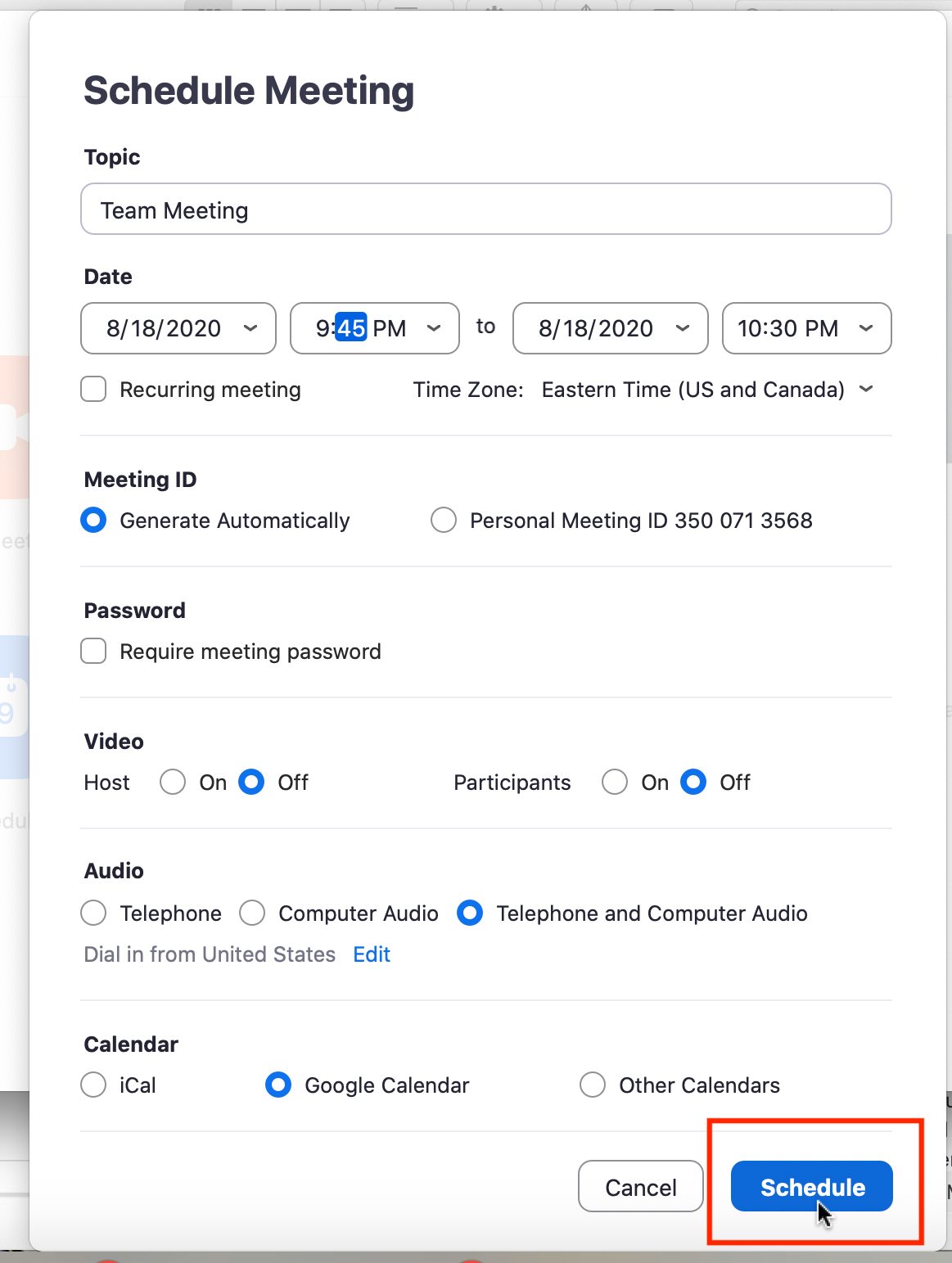
Follow this guide to schedule Live Auto Captioning for a Zoom Webinar once it has been scheduled within Zoom and once Zoom has been linked to your 3Play Media project. In order to be able to schedule

How to Set Up Live Auto Captions for Zoom Meetings How-to

How-to guide

How to Set Up Live Auto Captions for Zoom Meetings

Follow this guide to schedule live auto captions for a Zoom Webinar once Zoom has been linked to your 3Play Media project. In order to be able to schedule and set up 3Play Media’s Live Auto Captions w

Handbrake: Encode Open and Closed Captions How-to

How-to guide

Handbrake: Encode Open and Closed Captions

Handbrake: Encode Open and Closed Captions   3Play Media offers a caption encoding service. However, sometimes the source video is so large that it has to be compressed when uploaded to our system, wh

How To Add Twitter Video Captions and Subtitles How-to

How-to guide

How To Add Twitter Video Captions and Subtitles

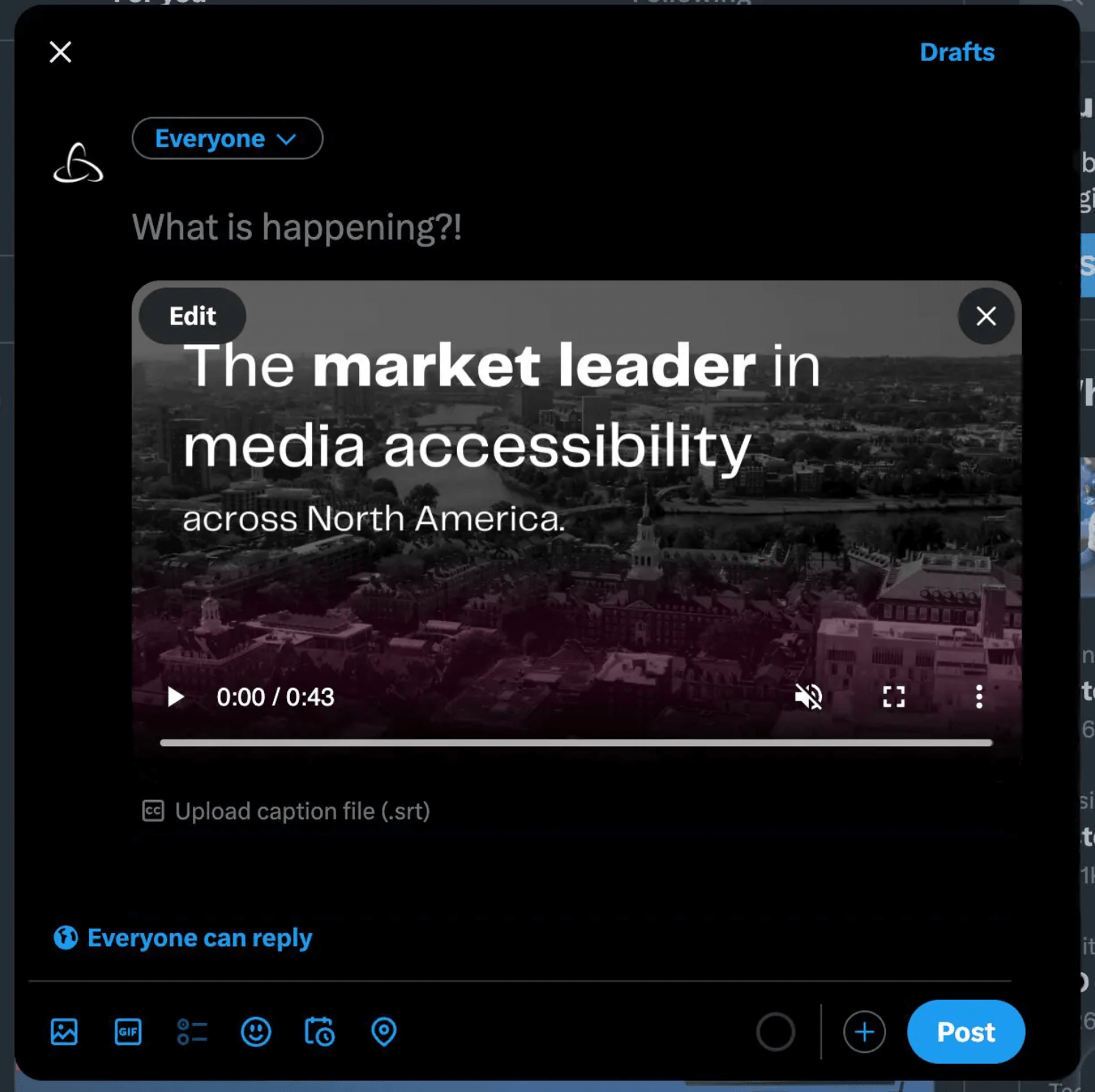
How To Add Captions and Subtitles To Twitter (X) Videos To add Twitter (X) video subtitles and captions, compose a tweet with video content attached. Select the option to Upload caption file (.srt), a

How to Add Closed Captioning on iPhone + iOS How-to

How-to guide

How to Add Closed Captioning on iPhone + iOS

How to Add Closed Captioning on iPhone and iOS To add closed captioning on iPhone and iOS devices, the most reliable way is to encode captions directly into the video. If you’re submitting content to

How-to

How-to guide

Audio Recording Guidelines

Audio Recording Guidelines These recommendations are intended to produce the best possible audio recordings. A good audio recording dramatically improves the transcription quality. It lets transcripti

How to Edit Audio Description How-to

How-to guide

How to Edit Audio Description

Want to make adjustments to your audio description? You can! Learn how to make edits to your audio description right from the 3Play Media account system. Step 1 – Log In Log into your account at http:

How to Download Audio Description How-to

How-to guide

How to Download Audio Description

How to Download Audio Description This how-to article will help you download your processed audio description files from your 3Play Media account. Learn how to download as an MP4, MP3, WAV, or WebVTT

Audio Description Examples How-to

How-to guide

Audio Description Examples

Audio Description Examples You can hear audio description examples in the video gallery below! We’ve published audio description in several ways, so you can see how our various output formats work. Au

How to Add Subtitles and Captions in Office 365 Video How-to

How-to guide

How to Add Subtitles and Captions in Office 365 Video

How to Add Subtitles and Captions in Office 365 Video With Office 365 Video you can easily share and discover videos within your company – and you can easily add captions and subtitles, too! Captions